

NetSuite and StreamSend

Sync your records to NetSuite with StreamSend and vice versa, segment your NetSuite records to lists in StreamSend and do all your imports and exports automatically.
See what you can do There is no limit to the things you can create with the StreamSend for NetSuite integration! Better campaigns, unparalleled insights, bidirectional data flows, cooperation between departments -- all these and many others are just a click away.
Sync NetSuite Companies, Contacts, Leads and Prospects to StreamSend Lists.
Use NetSuite Contact and Customer Subscriptions to List(s) for better-targeted marketing.
Filter and sync only those records who meet specific criteria from CRM or vice-versa.
Opt-outs managed automatically in NetSuite from StreamSend.
Custom field mapping between both systems.
Trigger StreamSend Autoresponders from NetSuite field updates.
NetSuite supported Saved Search record types: Contact, Customer, Employee, Partner, Transaction, and Vendor. Each Saved Search will be synced to a StreamSend List.
Sync StreamSend campaign responses to NetSuite custom records.
NetSuite always takes higher precedence over StreamSend. Any contact changes in NetSuite will always be synced to StreamSend.
Contact and lead data is synced from StreamSend only if the email address doesn't exist in NetSuite at the time of syncing or Update Field Mapping is enabled.
One simple plan • $150/month

Everything SyncApps does, for one flat price

We killed pricing tiers. Every feature, every integration, unlimited records, and 24/7 human support — one plan at $150/month, with a free way to start.

   Loved by 25,000+ subscribers • 120+ reviews on G2

What's included

Every capability below comes with the single plan — no add-ons, no overage charges, no feature gates.

One plan
$ 150 .00 / month

Everything included. Unlimited records. Cancel anytime.

Try for free
  • Every SyncApps feature included — nothing locked behind a tier
  • Unlimited records synced every month
  • Unlimited team members
  • Every integration — Salesforce, NetSuite, Zoho, Dynamics 365, Mailchimp, HubSpot, Constant Contact, ActiveCampaign & more
  • Real-time, bidirectional sync
  • Advanced field mapping & list segmentation
  • Campaign metrics synced back into your CRM
  • 24/7 human support by email, chat & phone
  • Free onboarding & live setup calls

Just getting started? Start free — no credit card required

Nonprofit? Get 25% off every month.

Need something you don't see? Talk to us →

Support

Touch base with the SyncApps Experts, share ideas, and get answers to your SyncApps questions.

  • Get a SyncApps guru dedicated to review your integration with you?
  • Need some help with your Set Up?
  • Want a SyncApps Expert to hop on an online meeting to have a look into a problem you are having?

​Scaling Up and Scaling Down. For more on our Support and Consulting offers, contact us and we'll discuss all available options including referrals to access to our network of implementation partners, if needed.

How it Works
Start automating

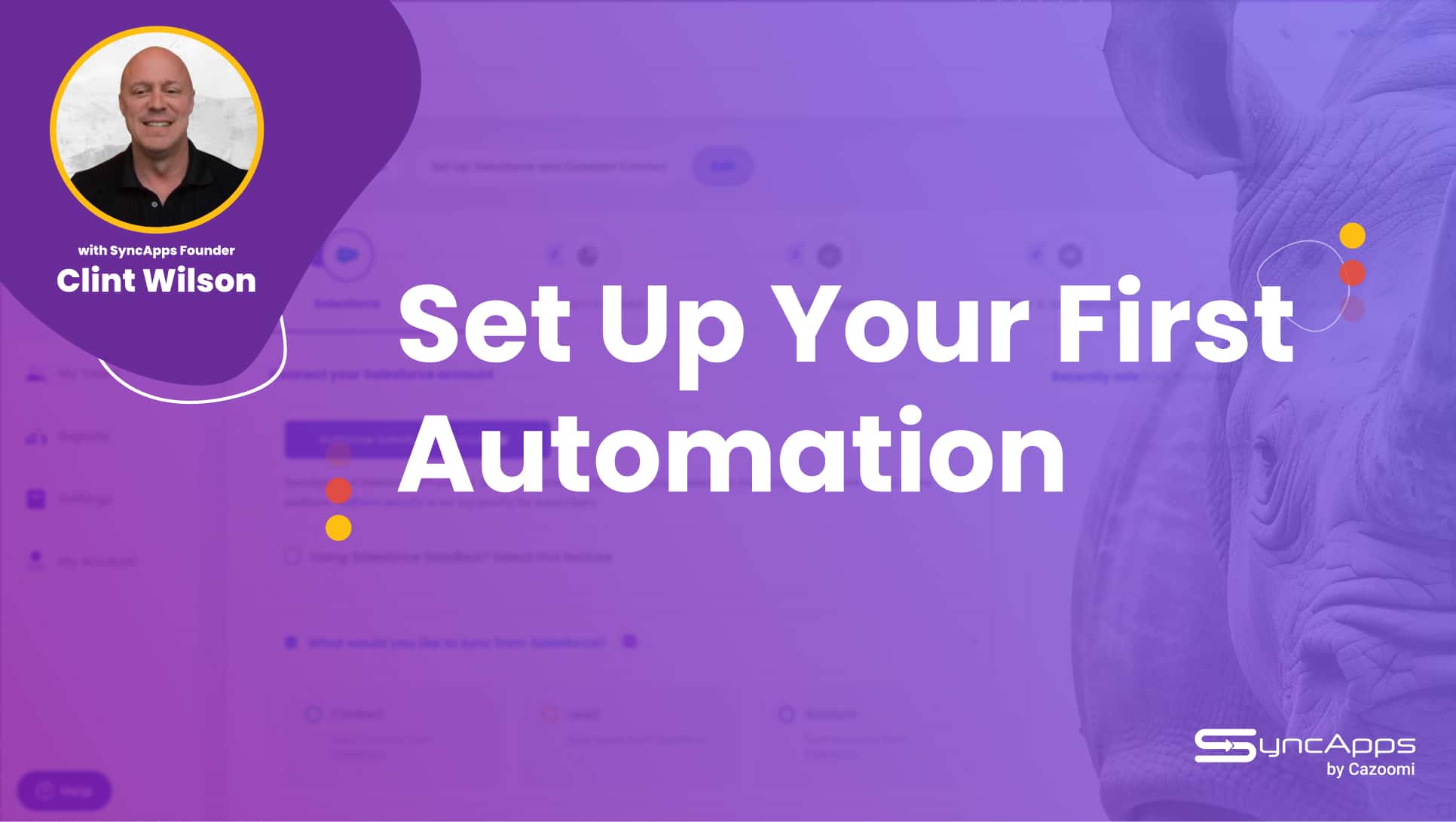
Setting up multiple automations is super simple. First, select the software you use to get started and name the automation.

After connecting your software, choose the workflow automations that match your use cases and integration requirements. In each Step, let our smart integration suggestions based on your chosen use case, lead you to each prebuilt automation your business needs today.

That's it! Now, you'll be able to move through the next few Steps to select more workflows your business might need.

Full Sync

The Full Sync feature will power up your sales and marketing workflows by automating the process of removing records from your marketing software when your CRM records no longer match your syncing criteria.

The Full Sync can be scheduled to run Daily, Weekly, Monthly or done manually per integration.

True up your CRM and Marketing solutions efficiently.

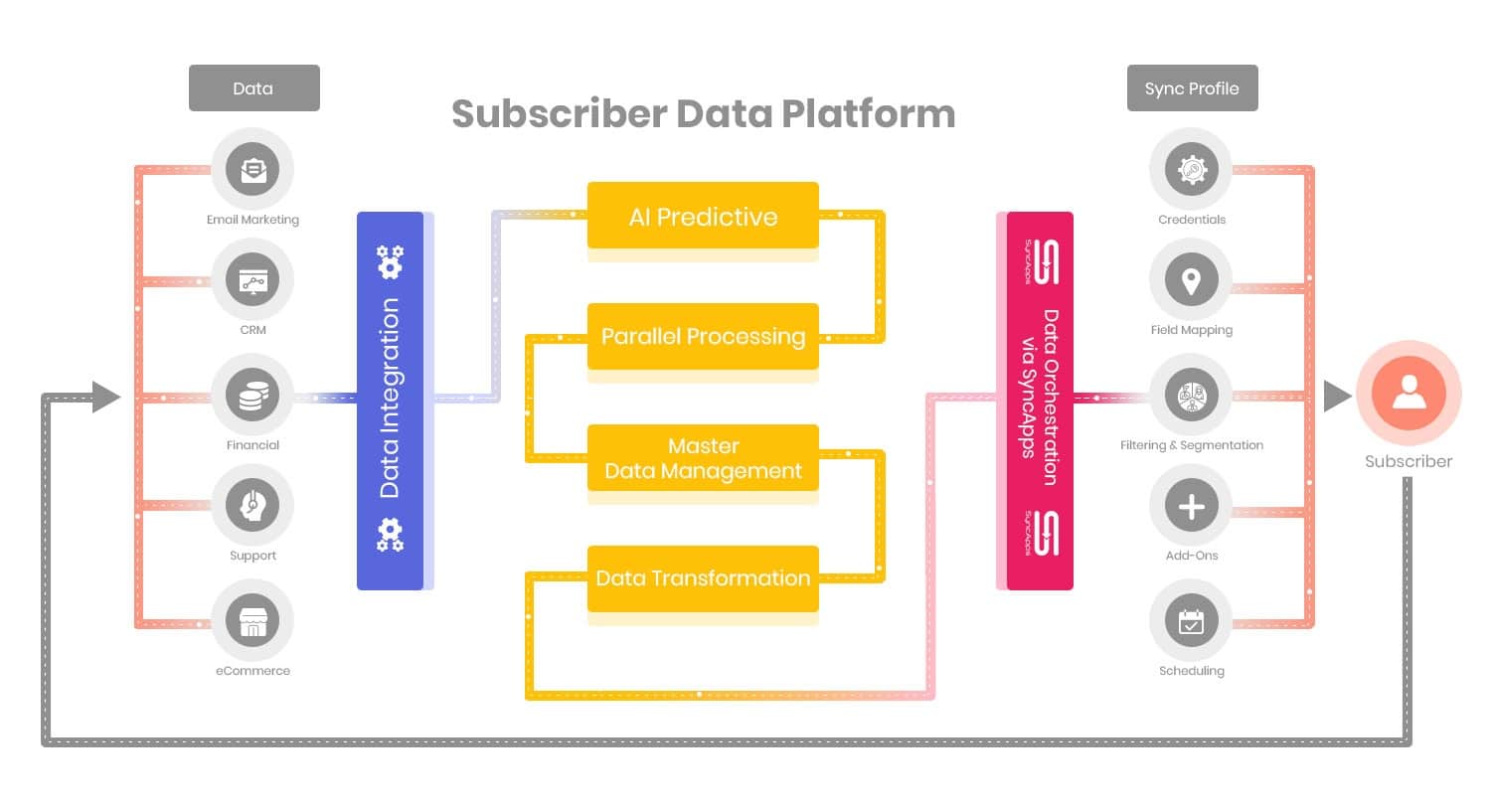
Field Mapping

Basic fields such as Email Address, Name, Title, Address, Company Name, Phone Number, and Email Opt Out fields are already pre-mapped. Additional custom field mapping, field expression mapping, and overriding of fields like Email Address or Unsubscribe are available under "More Options".

Bidirectional updates of existing records or new records is easy to do in this step. Be sure to press Reset Sync Process after adding new field mapping so all your data will be re-synced with the new field mappings.

Filter & Segmentation

Filtering takes your records and filters them based on your chosen criteria.

Segmentation creates Tags, Groups or Lists automatically based on your filtering criteria. The use of Field Expression Mapping is supported. See some cool Filtering and Segmentation use cases here.

Sync Scheduling

Sync Scheduling can be set up to completely automate your integration, so you do not have to run it manually. Sync On-Demand is available to allow quick testing of your software's integration or to make it so you can manually run your automation.

Set the time it runs, day of the week, or any schedule you choose. If you want to sync your marketing metrics in real-time, then head to scheduling for this option.

About NetSuite and StreamSend integration
Stay more connected than ever using NetSuite to StreamSend!
  • Track the total number of subscribers to your newsletters
  • Track progress on your most recent customer email campaigns
  • Keep track of your contacts and fans with a few touches
  • NetSuite customer, contact and lead details synced to StreamSend
  • Never have to manually true up your opt-in lists again!

NetSuite and Cazoomi deliver a new way to sync StreamSend for optimal targeted marketing!

We provide a fully integrated solution for NetSuite to StreamSend with captured contact and customer data, from NetSuite to StreamSend.

Give your small business an edge with StreamSend.

What is StreamSend?

Email Marketing Integration - The Path To More Sales

Streamline your marketing with our smart message delivery options. Automate your email campaigns with triggered emails and advanced segmentation. Convert social posts into emails with our shareboards. Increase engagement with video integration. Automate your eNewsletter's content and delivery with our automatic RSS publishing.

All the tools you need, at a fraction of the price!

Find out more or try StreamSend for free.

SyncApps Basics
Using SyncApps for segmentation and metrics

Join 25,000 Organizations that Grow with SyncApps

Manage your financial data, create better, data-driven campaigns, sell more, reduce your IT spend, and improve efficiency across all your departments. Start for free!

Tools that Fit Right In

Integration built to fit right into your business flow. You can customize, scale up or scale down anytime. Start automating and forget manual data work.

A Solution You Can Rely on

SyncApps has been in business for more than 12+ years. You can continue to rely on our dedication to innovation and our pledge to help you thrive!

Security Is Our Priority

All your data is secure with SyncApps. Our constantly reviewed and upgraded security policies are created to give you peace of mind. GDPR, CCPA, CASL and privacy policy-friendly, too!

World-Class Support

Whenever you need us, an integration expert is available to help you. Our support department is available 24/7.