Why Your Salesforce-Mailchimp Integration Feels Broken (And What Actually Works)
Clint
is a marketing entrepreneur with over 25 years of experience and has successfully grown several 7 to 8-figure businesses. He is also skilled in using NetSuite and Salesforce. Currently, running Cazoomi for over 17 years and based in the Philippines.
7 minute read
Why Your Salesforce-Mailchimp Integration Feels Broken (And What Actually Works)
You’ve got Salesforce. You’ve got Mailchimp. You’ve got the sinking feeling that they should talk to each other seamlessly. Yet somehow, your data is still bouncing between systems like a pinball, your sales and marketing teams are working in different universes, and you’re left manually syncing things that absolutely should be automatic.
Here’s the thing: it doesn’t have to be this way with integration.
The Integration Nightmare Nobody Talks About
Let’s be real. The “free” or basic integration between Salesforce and Mailchimp? It’s like getting a gift card with $0.50 on it. Sure, it’s technically there, but it’s not going to solve your actual problems.
Why? Because neither Salesforce nor Mailchimp actually monetizes integration. It’s just a checkbox feature they throw in to keep you happy while you pay for their core offerings. There’s no incentive for them to make it brilliant, flexible, or powerful. It’s functional enough to not be embarrassing, and that’s about it.
The traditional integration platforms? They compete on price by stripping features down to bare bones. You get a low price tag, sure, but you also get limited functionality, minimal support, and the sneaking suspicion that you’re supposed to figure out the rest on your own. When something breaks, you’re staring at documentation written for engineers, not for humans trying to run a business.
It’s enough to make you consider going back to spreadsheets and manual data entry. (Please don’t.)
Automation Built on What Actually Works
Here’s where properly designed automation actually becomes a game-changer. But—and this is crucial—only if it’s built on years of real-world subscriber feedback, not just generic templates and wishful thinking.
SyncApps workflows are built from the ground up based on what thousands of subscribers have actually told us they need. These aren’t guesses. They’re proven patterns refined over more than a decade of helping companies like yours integrate Salesforce and Mailchimp. That is why small businesses to billion dollar companies use SyncApps today.
Take a real example: One nonprofit was struggling with a common problem. They had custom fields in Salesforce with multiple values—things like volunteer skills, program interests, and eligibility tags. They needed all those values to sync over to Mailchimp as tags automatically. But their integration platform? It required them to create a separate segment for every single picklist value. With 10+ values multiplied across multiple fields, that was hours of setup for something that should be simple.
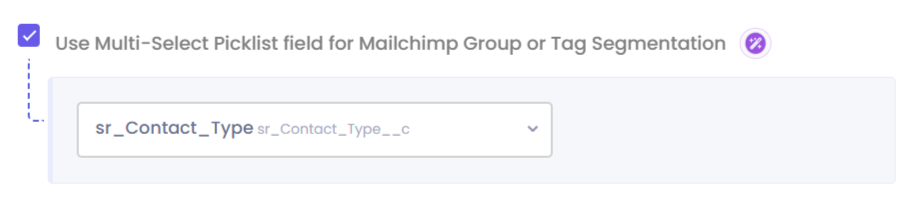
Instead of telling them “that’s not how integration works,” we listened. Our team built an automation that handles multiselect picklists from Salesforce and syncs them directly to Mailchimp tags or groups, your choice—all automatically. No manual field mapping. No creating segments one by one. Just click, configure, and the data flows.
Real automated Salesforce and Mailchimp integration means:
Smart Workflow Automation: Prebuilt workflows handle the complex logic that would normally require manual setup or custom code. When a contact or lead multiselection field choices change in Salesforce, the right tags or groups update in Mailchimp automatically. When new multiselect values are added to a record, they sync instantly. No coding required. Just set it and forget it.
Continuous Data Synchronization: Your integration runs 24/7 to keep Salesforce and Mailchimp in sync. New contacts, updated information, engagement data, custom field values—it all flows between platforms instantly. You’re not managing syncs; the automation handles it all while you focus on your business.
Proven Workflow Patterns: Instead of starting from scratch, you get workflows built from thousands of real subscriber use cases. Workflows that have been tested, refined, and perfected through years of feedback. Your integration learns from what actually works for companies in your industry.
Built-In Reliability: Automated monitoring watches your integration constantly. If something goes wrong, it’s caught and fixed before it becomes a data disaster. You get clear notifications when action is needed, not cryptic error messages at 2 AM.
What This Actually Saves You (Time, Money, and Headaches)
Let’s talk dollars and sense, because if you’re like most organizations, budget is tight. Eveyone is trying to make money, cut costs, and save time. Whether you’re a nonprofit watching every dollar or a lean team trying to do more with less, this matters.
Hours of setup time becomes minutes. That nonprofit we mentioned? Instead of spending 15+ hours manually creating segments and mapping fields, they checked a box and their multiselect picklists were syncing. That’s one person’s entire workweek reclaimed. At nonprofit wages, that’s thousands of dollars in saved labor.
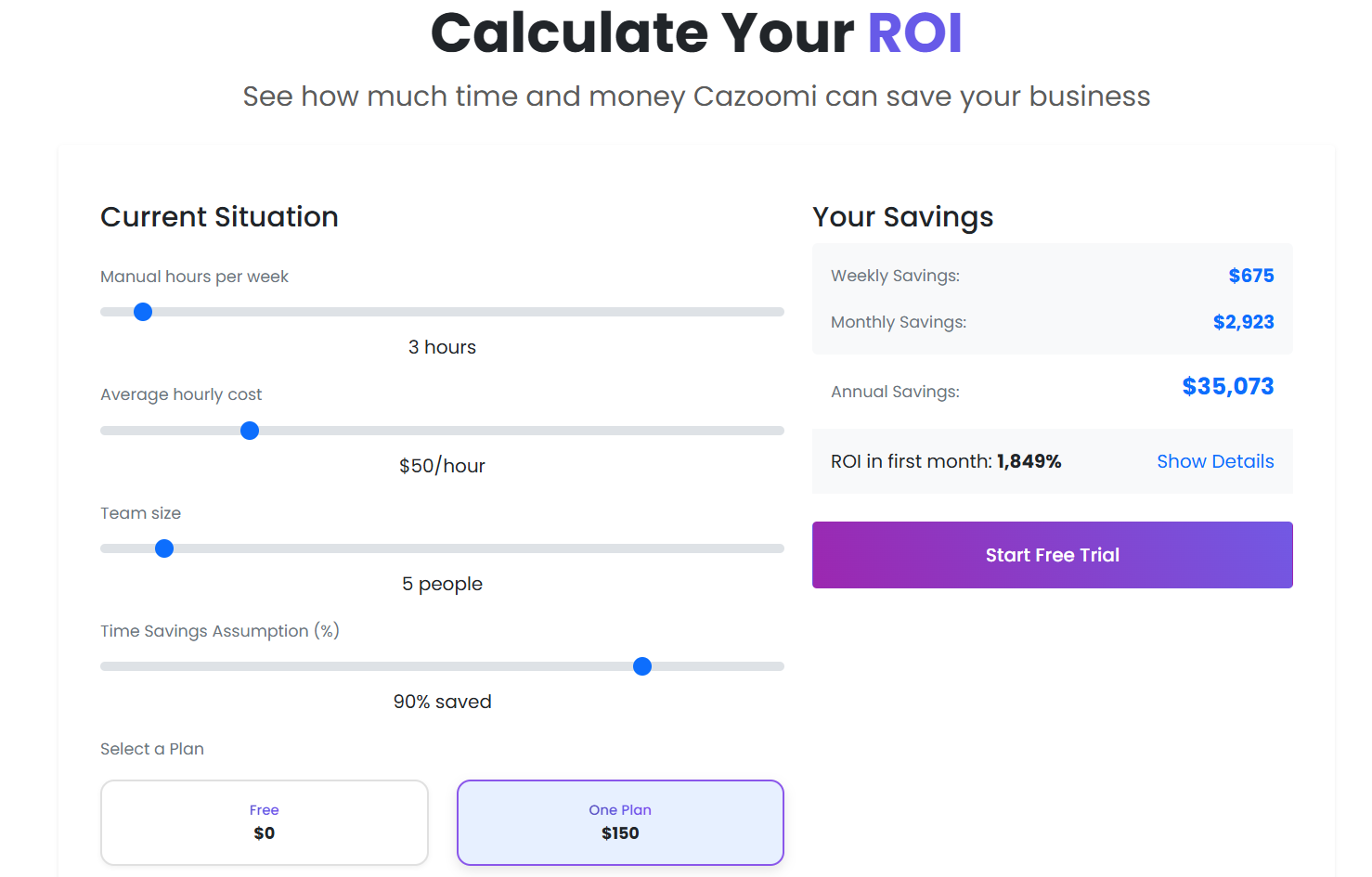
Need some hard data, try our ROI calculator with your team to see how much time, money and costs you can shave.
Data entry errors disappear. When you’re manually syncing data between systems, mistakes happen. A tag doesn’t transfer. A field gets mapped wrong. A contact gets tagged twice. Those “small” errors cascade into bigger problems—leads fall through the cracks, marketing campaigns hit the wrong audience, reports show conflicting data. With automated workflows, there’s no human error in the sync process. Data flows the way it should, every single time.
Your team stops drowning in manual work. Imagine if your staff spent 2-3 hours every week manually checking Salesforce, copying tags, and updating Mailchimp. That’s 100+ hours a year. That’s money. That’s burnout. Automated workflows eliminate that entirely. Your team focuses on strategy and meaningful work instead of being a human data bridge.
Your sales and marketing teams finally speak the same language. A prospect opens an email in Mailchimp, clicks your link, and that behavioral data is instantly visible in Salesforce. Your sales team knows exactly who’s warm. Your marketing team knows which campaigns actually move the needle. They stop blaming each other for bad leads and start celebrating conversions together.
Your lead scoring becomes real, not fictional. Automation captures actual engagement patterns across both platforms. When a contact’s tags update in Salesforce—whether they’re a volunteer, a donor, an event attendee, or interested in a specific program—that instantly syncs to Mailchimp. Your segmentation is accurate because it’s based on live data, not assumptions. You know who’s genuinely ready to engage and who needs more nurturing.
Your reporting stops being a nightmare. Forget pulling data from Salesforce, cross-referencing it with Mailchimp numbers, and trying to make sense of contradictions. One dashboard. One source of truth. Reports that actually tell you what’s working and what isn’t—and you can run them in seconds, not days.
You finally have scalability without hiring. As your organization grows, you can handle more contacts, more fields, more complexity—without proportionally increasing your staff. The automation scales with you. Whether you’re managing 1,000 contacts or 100,000, the same reliable workflows keep everything synced.
Why This Matters Right Now
If you’re running a nonprofit or a lean business, the cost argument is simple. You can either pay for extra staff to manually manage integrations, or you can invest in automation that does the work for you—and does it better. The ROI isn’t theoretical; it’s measured in hours saved and errors prevented every single week.
If you’re at a larger organization, the stakes are higher. Bad data costs you deals. Missed leads cost you revenue. Inefficient processes cost you competitive advantage.
Either way, the right integration isn’t a nice-to-have. It’s a business necessity.
The Bottom Line
You deserve a Salesforce and Mailchimp integration that works as well as you need it to work. Not a stripped-down version. Not a confusing mess of configurations. Not something that requires an engineering degree to set up.
You deserve automation built on real subscriber feedback—workflows that have been battle-tested by thousands of companies and refined based on what actually works in the real world. Automation that’s smart enough to handle complex scenarios like multiselect picklists, simple enough that anyone on your team can set it up, and supported by people who actually care whether you succeed.
That’s not asking too much. That’s asking for what should have been available all along.
Your data shouldn’t be scattered across platforms. Your teams shouldn’t be in different worlds. And your integration shouldn’t require hours of setup or constant manual maintenance.
The right platform doesn’t just connect Salesforce and Mailchimp. It connects your entire business and makes it work better—automatically.